 EffectCraft
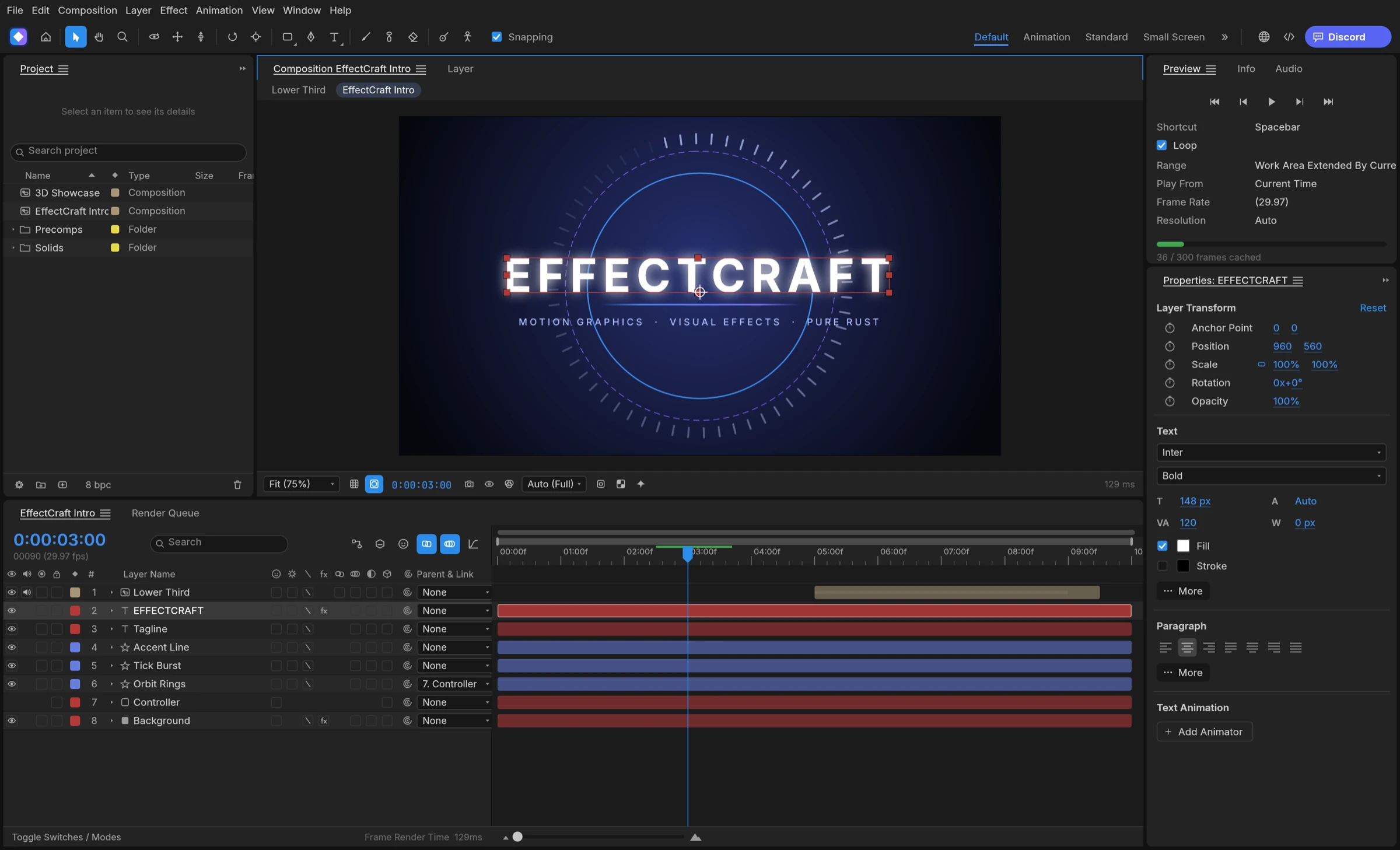

You can create Lottie without After Effects by animating in an app that writes Lottie itself. EffectCraft, a free, open-source motion graphics app, exports a composition as Lottie JSON, in .json or .lottie form, with no Bodymovin plugin, and imports a Lottie file as a new composition.
Why Lottie usually means After Effects plus Bodymovin
Lottie is a JSON animation format that players render natively on the web and in apps. The lottie-web project describes itself as a library that parses Adobe After Effects animations exported as JSON with Bodymovin, a plugin installed into After Effects. EffectCraft’s own file-format notes list Lottie in After Effects as available through third-party plug-ins. So the classic route needs a paid host app and an extra plugin before you export a single frame, which is why designers look for a way to make Lottie without After Effects.
The two ways around it
- Browser editors such as LottieFiles Creator, which create and export Lottie online.
- Desktop apps that write Lottie natively, such as EffectCraft, Glaxnimate and Cavalry.
A desktop app fits designers who also make video from the same project, work offline, or want a project file they can keep in version control.
Either way, the format is the same Lottie JSON your developers already ship, so choosing Lottie without After Effects changes the authoring tool, not the delivery.
Step by step: export Lottie without After Effects in EffectCraft
EffectCraft builds animations the way motion designers expect: compositions, layers and keyframes, with a Graph Editor for easing. The Lottie exporter turns a finished composition into a delivery file.
- Create a composition at the size your web page or app needs.
- Build it from shape, solid, text, image and null layers, and nest parts as precompositions.
- Animate with eased and spatial keyframes; add masks, track mattes, blend modes and time remapping where needed.
- Export the composition as Lottie JSON and save it as .json or as .lottie (dotLottie); expressions can be included as an option.
- Read the list the exporter shows of anything Lottie cannot express, and adjust those layers.
- Test the file in the player your developers use, then keep the .ecproj project for later edits.
Export from the command line
For repeat exports, the command-line tool runs the same command without opening the window, for example: effectcraft-cli exec file.exportLottie ’{“comp”:“Main”,“path”:“main.json”}’ main.ecproj
This workflow suits product designers making loaders, icons and onboarding animations, and front-end developers who want Lottie without After Effects in their toolchain.
What carries over to Lottie, and what does not
Lottie is a delivery format, so only part of a composition can travel. According to the project README, the EffectCraft exporter writes:
- precompositions and shape, solid, image, text and null layers;
- eased and spatial keyframes;
- masks, track mattes and blend modes;
- time remapping and, optionally, expressions.
Anything outside that list, such as footage layers, 3D cameras and lights, or effects, is not in the documented export scope. EffectCraft names each item Lottie cannot express when you export, so nothing disappears silently.
How to plan for it
- Design web animations with shape and text layers from the start.
- Keep effects and footage for the video version of the same project.
- Read the export list every time and fix flagged layers before handing off.
Planning this way lets you make Lottie without After Effects and still deliver a video cut from the same .ecproj file.
Best tools to make Lottie without After Effects
EffectCraft is the best free desktop tool in 2026 to make Lottie without After Effects when you also want After Effects-style layers, keyframes and video output.
1. EffectCraft: best for Lottie and video from one desktop project
EffectCraft is the strongest pick for designers who need Lottie both ways: it exports compositions to Lottie JSON or dotLottie and imports Lottie files back as editable compositions. The same project also renders video through its render queue, and the exporter names every item Lottie cannot express. Compared with LottieFiles Creator, whose free plan exports five animations, EffectCraft is open-source desktop software under MIT or Apache-2.0.
2. LottieFiles Creator
LottieFiles Creator is a web-based tool that creates and exports Lottie and dotLottie in the browser. It is free to use, with a five-animation export cap on the free plan.
3. Glaxnimate
Glaxnimate is an open-source vector animation desktop app from KDE. It exports Lottie, animated GIF, WebP and SVG.
4. Cavalry
Cavalry is 2D animation software, free for individuals on macOS and Windows. Lottie export is in its feature list.