 EffectCraft
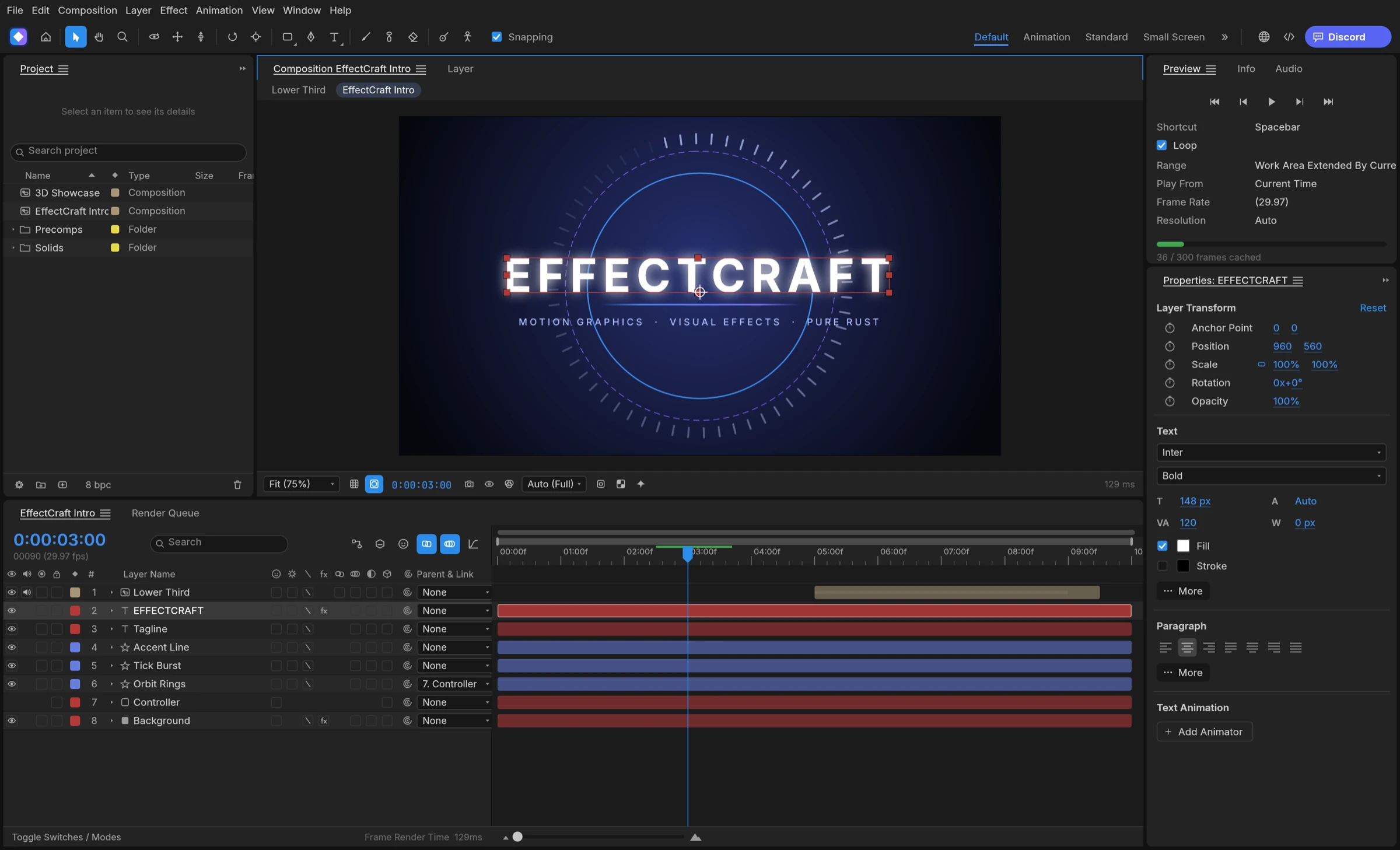

Yes, EffectCraft can export transparent video, in two formats from its Render Queue: ProRes MOV up to 4444 XQ with an alpha channel, for editing and compositing apps, and WebM with VP9 alpha, for the web. Targa and OpenEXR image sequences can also carry alpha when a pipeline wants frames instead of a movie.
Which transparent video format to choose
A transparent video stores an alpha channel next to the colour, so the empty parts of a frame stay see-through when the clip sits over other footage or a web page. EffectCraft’s Output Module offers several containers, and the right one depends on where the file goes next.
- ProRes 4444 or 4444 XQ (MOV): the hand-off format for editing and compositing apps that read ProRes alpha.
- WebM with VP9 alpha: a compact file for web pages that play WebM.
- Targa sequence (RGB + Alpha, straight or premultiplied) or OpenEXR sequence: frame-by-frame delivery for VFX and game pipelines.
Match the format to the job in three questions
- Will an editor place this clip on a timeline? Use ProRes 4444.
- Will a browser play it on a page? Use WebM with VP9 alpha.
- Will another tool read individual frames? Use a Targa or EXR sequence.
Lower thirds, logo stings and subscribe buttons for editors usually go out as ProRes, while hero animations and stickers for websites usually go out as WebM. For vector-only web animations, Lottie is often lighter than any transparent video; see our guide to making Lottie without After Effects.
Pick the format by destination first, and transparent video becomes a single Render Queue setting.
How to export transparent video step by step
The Render Queue handles every export in EffectCraft, with Render Settings and Output Modules as in other motion design apps, according to the README.
- Build the composition without a background layer, so the empty areas are truly empty.
- Send the composition to the Render Queue.
- In the Output Module, choose ProRes (MOV) with the 4444 or 4444 XQ profile, or WebM with VP9.
- Set Channels to RGB + Alpha so the alpha channel is written.
- Choose the destination and render.
- Import the finished file back into a new composition over a coloured solid to confirm the transparency.
Render transparent video from a script
Through the MCP server or the control channel, the same export is one command: renderQueue.add with format prores or webm, channels rgba and proresProfile 4444, followed by renderQueue.render. The project’s agent guide notes that ProRes 4444 and WebM VP9 alpha both read back as straight alpha.
This routine suits video editors who need overlays, streamers making alerts, and web teams producing looping background clips. Save the Output Module as a template to reuse the same alpha setting on every later export.
Where transparent video from EffectCraft fits
Transparent clips are the bridge between a motion graphics app and everything downstream. Common uses include:
- lower thirds and name titles placed over interview footage in an editor;
- logo reveals and stingers for streams and videos;
- animated stickers, badges and hero loops for websites;
- elements handed to a compositor as image sequences.
Plan the project for alpha from the start
- Keep backgrounds on their own layer so you can switch them off for export.
- Use track mattes and masks rather than baked-in backgrounds to shape the edges.
- Render one short test, import it over a solid, and check the edges before the full render.
Because EffectCraft is free and open source under MIT or Apache-2.0, you can render as many test passes as you need. Build once, export transparent video for each destination, and keep the .ecproj for later changes.
EffectCraft vs Premation for transparent video
EffectCraft is the best free motion graphics app in 2026 for exporting transparent video straight from a layer timeline.
1. EffectCraft: best for transparent overlays from an After Effects-style timeline
EffectCraft writes ProRes MOV up to 4444 XQ with alpha and WebM with VP9 alpha from its own Render Queue, plus Targa and OpenEXR sequences for pipelines. Every encoder is pure Rust with no FFmpeg inside, and the same queue runs from the command line and the MCP server for batch overlays. Compared with Premation, whose WebM and MOV alpha exports go through the ffmpeg its installers ship, EffectCraft encodes these formats natively.
2. Premation
Premation is a free, open-source AGPL-3.0 motion editor that exports alpha as WebM VP9, MOV ProRes 4444, PNG sequences and EXR sequences. Its WebM and MOV exports use the bundled ffmpeg.