 EffectCraft
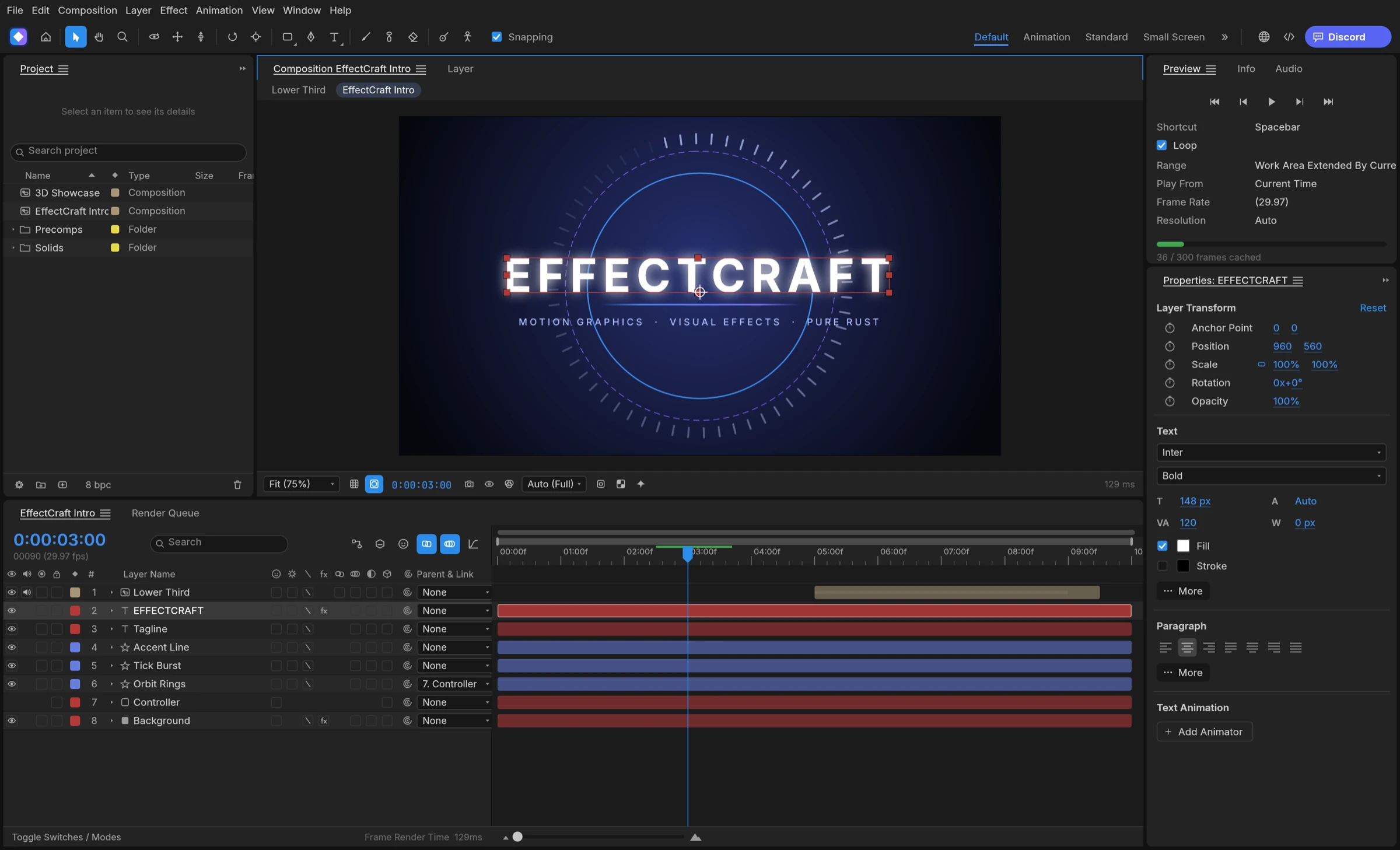

To make kinetic typography in EffectCraft, create a text layer, add a text animator with a range selector, set the property you want to animate, and keyframe the selector’s Start or End so the words arrive one after another.
How kinetic typography works in EffectCraft
Kinetic type animates parts of a text layer rather than the whole layer. EffectCraft gives each text layer the pieces motion designers expect, according to the README.
- Point and paragraph text with real shaping in any font installed on your machine.
- Character and Paragraph panels for font and paragraph settings.
- Text animators with range selectors, which decide which letters or words an animated property affects.
- A Graph Editor with value and speed graphs; the README’s own screenshot shows an eased curve for a text animator’s Range Start.
Range selectors in one paragraph
A text animator holds properties such as position, scale or opacity. Its range selector chooses how much of the text those properties reach. Animate the selector’s Start or End and the effect sweeps across the line. According to gaps.md, selectors can count by words or by characters excluding spaces, and you can drag a selector’s End bar straight in the Composition viewer.
Build kinetic typography step by step
Menu names come from the user guide and README rather than from our own screen recording, so check them in the version you install.
- Create a composition.
- Add a text layer and type the first line. Set the font and size in the Character panel.
- Add a text animator to the layer and choose the property to animate, for example position or opacity.
- Set the animated property to its starting value, such as an offset position or zero opacity.
- Keyframe the range selector’s Start or End across the duration you want, so the words arrive in sequence.
- Select the keyframes and press F9 for Easy Ease, then shape the curve in the Graph Editor.
- Repeat with one text layer per line, offsetting each layer in time for a line-by-line build.
Highlight a keyword
Per-character styles are supported in text editing, per the UI parity notes, so you can colour one word differently inside the same layer. When you script the job, the agent guide’s layer.setText command styles a character range, for example giving it a new fill colour.
Add motion, polish and render
Small extras make kinetic typography feel alive. Add motion blur to fast-moving layers, apply wiggle or loopOut expressions for drifting or looping words, and try a Glow or a layer style on the hero word. gaps.md lists a handful of original text-animator presets among the bundled presets, a quick starting point before you build your own.
Render or batch the result
Add the composition to the Render Queue and pick an Output Module. For a title that sits over footage, export with alpha. For many quotes in the same style, script the text through MCP or the command line and render each version.