 EffectCraft
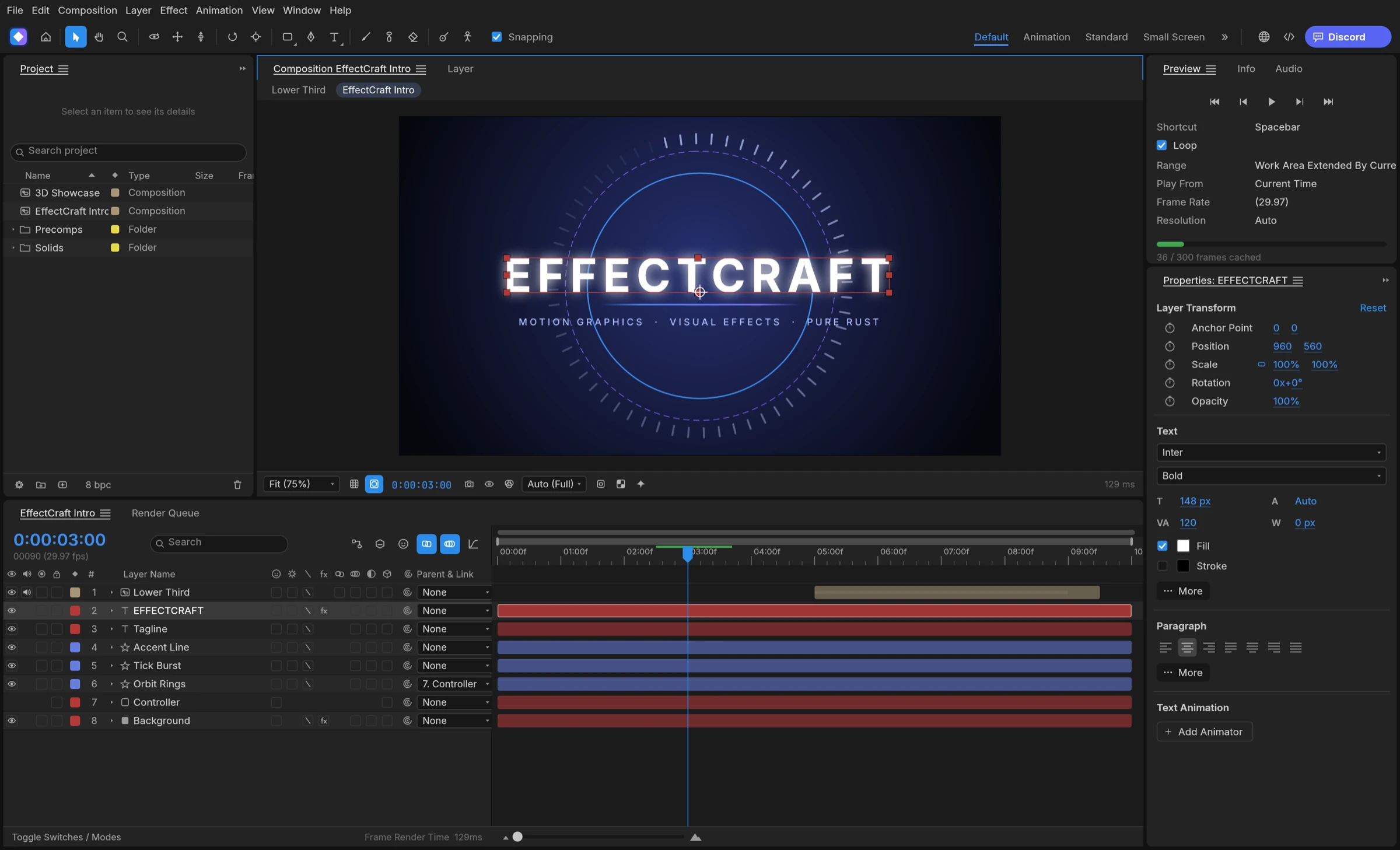

To make a logo reveal in EffectCraft, import your logo, rebuild or keep it as a shape layer, animate it on with trim paths, masks or a track matte, add an effect such as Glow, ease the keyframes, and render through the Render Queue.
Plan the logo reveal before you animate
A logo reveal is a short intro where a brand mark draws on, wipes in or lands, then holds long enough to read. Pick one idea before you open the app; it decides which tools you use.
- Draw-on: the outline traces itself with trim paths, then the fill fades up.
- Wipe or mask reveal: a moving mask or track matte uncovers the logo.
- Effect-led: Write-on, Stroke or Glow carry the motion.
- 3D: the logo sits on a 3D layer while a camera with depth of field moves past and a light casts soft shadows.
Prepare the logo file
Vector logos animate best. According to the file-format notes, EffectCraft reads SVG, and SVG markup copied to the clipboard pastes as a shape layer; Illustrator .ai, PDF and EPS files import with a Create Shapes option, with partial support.
Build a logo reveal step by step
Menu names here come from the user guide and README, not from our own screen recording, so check them against the version you install.
- Create a composition and pick a preset that matches your delivery.
- Import the logo and drag it into the Timeline, or paste the SVG so it becomes a shape layer. For simple marks you can also draw the shapes yourself on a new shape layer.
- For a draw-on, add Trim Paths to the shape layer’s contents and keyframe its End from the start of the stroke to the full outline.
- For a wipe, draw a mask with the pen tool, feather it, and animate its position, or use a second layer as a track matte.
- Fade up the fill or opacity just after the outline completes, then add the company name as a text layer.
- Select the keyframes and press F9 for Easy Ease, then refine the timing in the Graph Editor.
Add finishing touches
Apply effects from the Effects & Presets panel: Glow for a light bloom, Gradient Ramp for a sweep of colour, Write-on or Stroke for hand-drawn lines. Layer styles add Outer Glow, Drop Shadow or Bevel and Emboss. gaps.md also lists original transition presets such as wipes and clock or fan reveals that can stand in for a custom wipe.
Export and reuse your logo reveal
Add the composition to the Render Queue, choose an Output Module and render. For a logo that sits over footage in an editor, export with an alpha channel instead; our guide to transparent video export covers ProRes and WebM with alpha.
Make many versions at once
If you need the same intro for several clients or channels, turn it into a template and render it from the command line with a values file, as the agent guide shows for Essential Graphics templates. Keep the .ecproj, which is readable JSON, so later changes stay editable.