 EffectCraft
PhotoCraft: a free, open-source Photoshop alternative
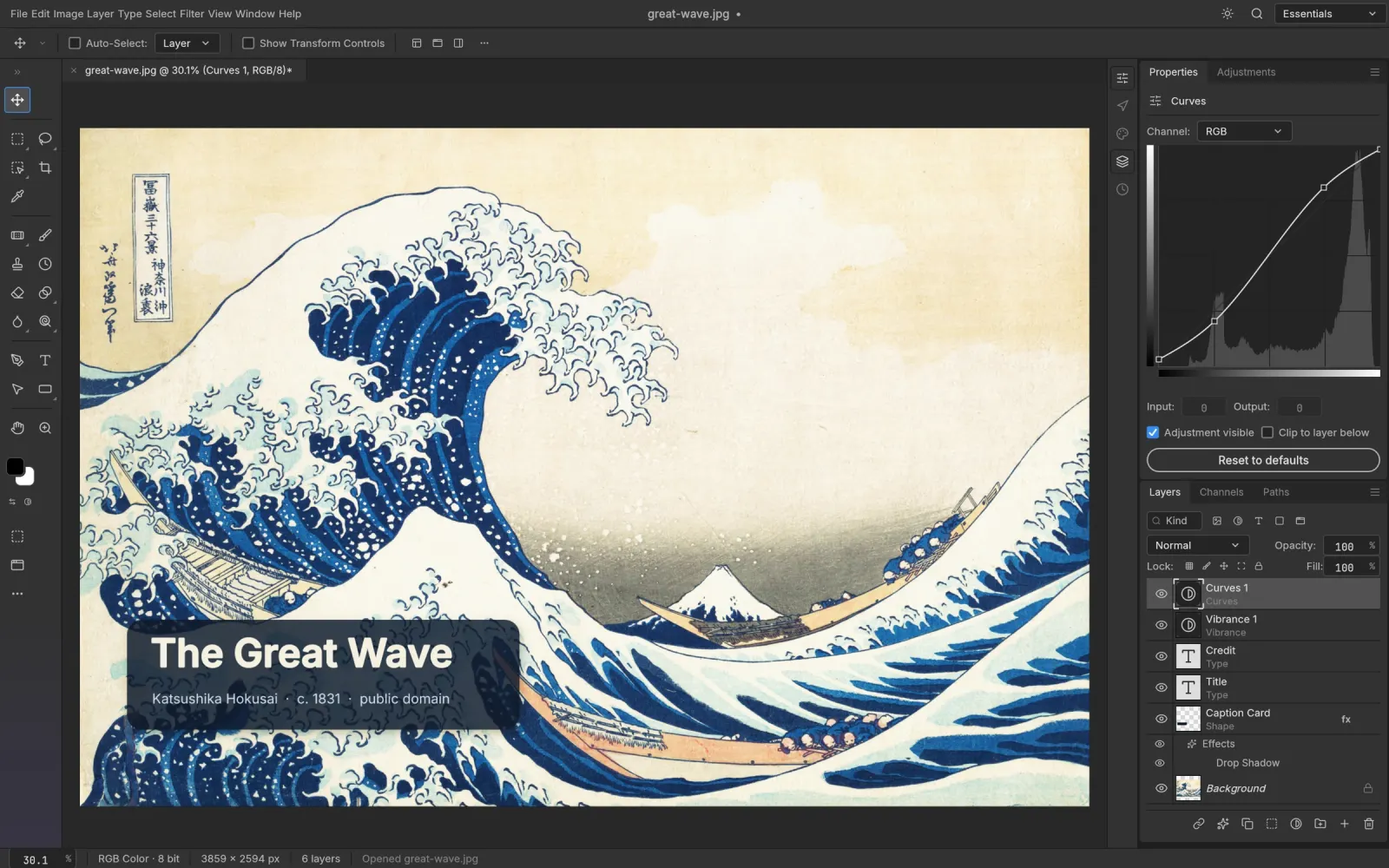
PhotoCraft is the image editor in ArtCraft's family of creative apps: 67 tools spanning layers, masks, adjustment layers, layer styles, editable type, vectors and brushes, plus layered PSD round trips — in a native app written entirely in Rust.
Download PhotoCraft → Official site ↗
Independent guide. This is not the official PhotoCraft website, and we are not affiliated with Adobe or with ArtCraft.
Which PhotoCraft is this?
More than one thing is called PhotoCraft. This page is about PhotoCraft from ArtCraft — the desktop image editor written in Rust, released as free open-source software by the team behind getartcraft.com.
There is also an unrelated project at photo-craft.online that uses a similar name. It is not the same software and has no connection to ArtCraft.
- Looking for the PhotoCraft app on Google Play? Different product, mobile only.
- Looking for the photo library and RAW developer? That is LightCraft — a different app in the same family, not the image editor.
- Looking for an Adobe product? PhotoCraft is not made by Adobe.
We write and maintain this guide ourselves. Corrections are welcome.
What is PhotoCraft?
PhotoCraft is a desktop image editor for macOS, Windows and Linux, built as a clean-room reimplementation of how Photoshop works. ArtCraft's own framing is “the image editor you already know how to use” — same shortcuts, same panels, same mental model. It is written in Rust and composites its canvas on the GPU through Metal, Vulkan, DirectX 12 and WebGPU. There is no Electron and no embedded web view.
As a free Adobe Photoshop alternative, it uses a familiar layer model and keyboard shortcuts in a native desktop app.
PhotoCraft is one of the creative apps currently listed on ArtCraft's official site. Each targets a different kind of creative work; PhotoCraft is the one aimed at Photoshop.
| Developer | ArtCraft |
|---|---|
| Written in | 100% Rust |
| Status | In development |
| Version | 0.7.0 (October 2026) |
| Price | Free |
| License | MIT OR Apache-2.0 |
| Platforms | macOS · Windows · Linux · FreeBSD · self-hosted web build |
| Works offline | Yes — no account, no cloud |
| Source code | github.com/storytold/photocraft |
What PhotoCraft can do today as a Photoshop alternative
As an open source Photoshop project, its source is public, so these capabilities can be checked against the developer's documentation.
67 tools, grouped below by what people actually ask about before they install it.
Layers and non-destructive editing
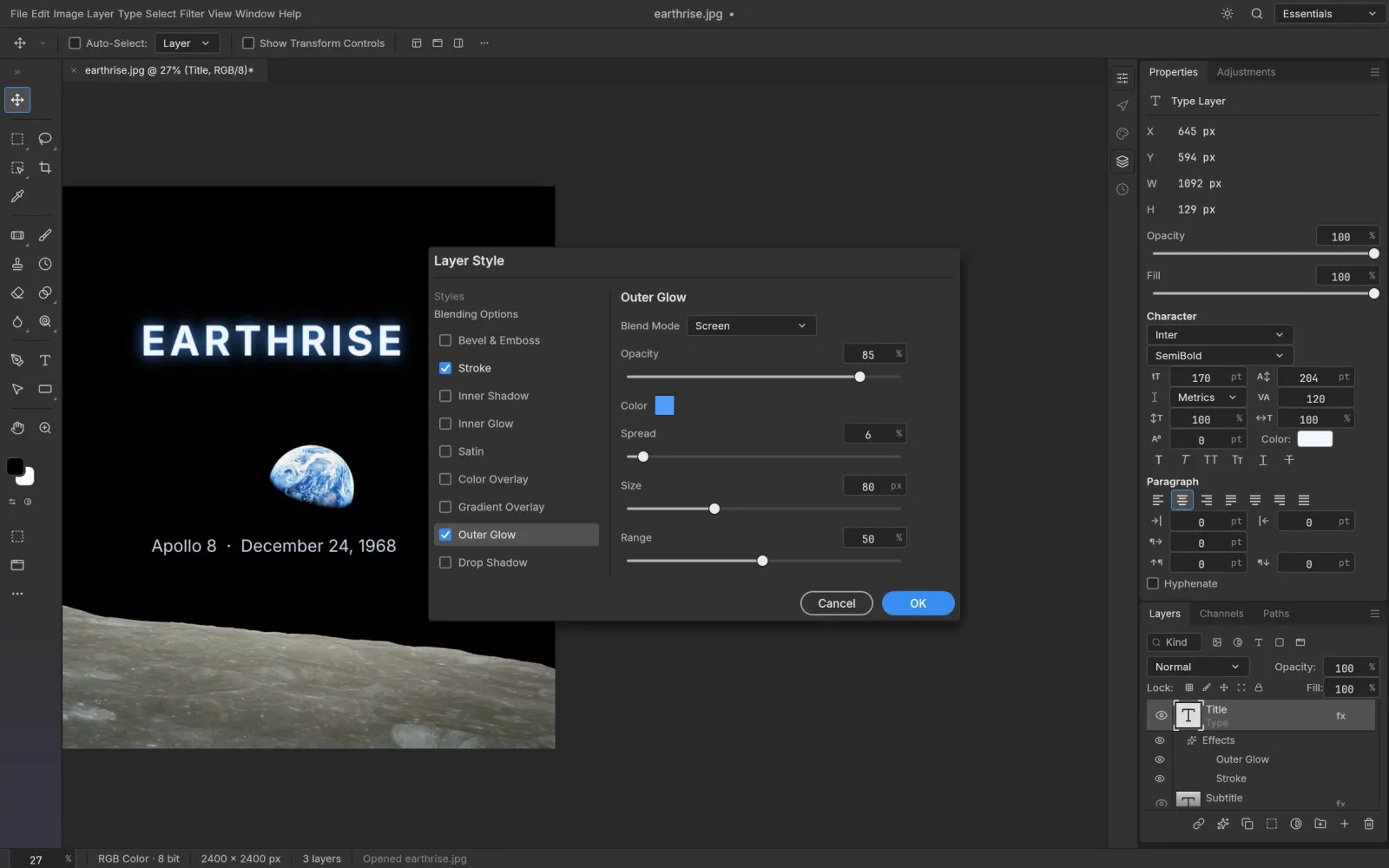
Groups, clipping masks, pixel and vector masks, fill layers, 16 adjustment layers, 70+ live-preview filters, smart objects with smart filters, and layer styles — drop shadow, inner shadow, outer and inner glow, bevel & emboss, satin, stroke, plus colour, gradient and pattern overlays. 27 Photoshop blend modes and six Paint.NET modes. Nothing you apply is baked in: every adjustment stays editable and maskable, and your original pixels are never overwritten.
Selections and masking
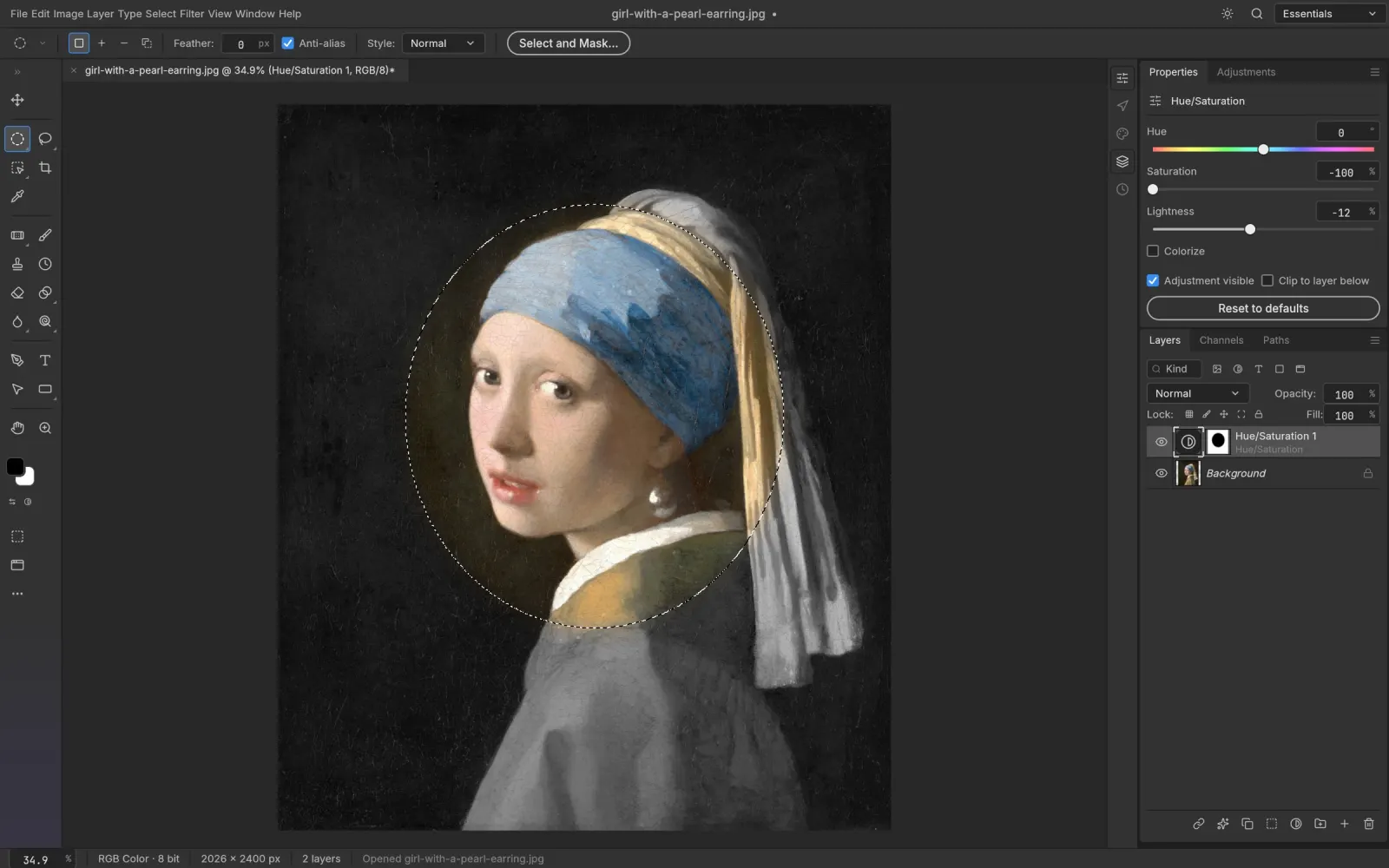
Marquees, lassos and the Magic Wand when you want precision; Quick Selection, Object Selection and Select Subject when you want the computer to do the tracing; Select and Mask to refine edges. Smart selection runs locally — no upload, no account, no queue.
Type and vectors
Point and paragraph type edited directly on the canvas, with full character and paragraph controls. Type layers stay editable, accept layer styles, and round-trip through PSD. Shapes plus the Pen, Freeform Pen and Curvature Pen tools give you resolution-independent shape layers, path operations (unite, subtract, intersect, exclude), vector masks, and dashed or aligned strokes. On the PSD test corpus, all 116 shape layers we could measure match Photoshop's pixels exactly.
Colour depth and colour management
8-, 16- and 32-bit documents in RGB, CMYK, Lab and Grayscale. ICC colour management with assign and convert to profile, all four rendering intents, black point compensation, soft proofing and gamut warning. Performance is real, not theoretical: a radius-180 Gaussian blur on a 3.6-megapixel image finishes in under a second.
Files and formats
Opens and saves layered PSD and PSB. Layered TIFF with Photoshop layer data. Reads and writes OpenRaster; reads Krita .kra and Paint.NET PDN3; opens SVG as shape layers. Flat exports in PNG, JPEG, TIFF, WebP, GIF, BMP, TGA, ICO, QOI, PNM, OpenEXR, HDR and FITS, plus its own .pcraft format. HEIC from iPhone and Mac is read-only.
Automation
Every action in PhotoCraft is a command, so the same engine can be driven from the GUI, a headless CLI, a JSON control channel or an MCP server. That is unusual for a 0.x editor, and it is covered in its own section below.
What PhotoCraft still can't do (and when that matters)
The official app page lists features. This section lists the gaps, because a guide that only lists features is an advert. As of October 2026, ArtCraft calls PhotoCraft early alpha, and here is what that means in practice:
- No mobile app. Desktop only — nothing on iOS or iPadOS, and nothing on Android. The “web” build is a WebAssembly package you download and host yourself; it is not an online editor you can open in a browser tab.
- No generative AI. Nothing on the official feature list is prompt-based. If you need generative fill, generative expand or prompt-based retouching, this is not the tool yet — and that is the single most common criticism in early coverage.
- No camera-raw pipeline. PhotoCraft is an image editor, not a RAW developer or a photo library. No catalogue, no import-and-cull workflow. That job belongs to LightCraft, number 04 in the same family.
- No plug-in ecosystem. Photoshop users who depend on a specific plug-in stack — noise reduction, upscaling, panel scripts — should assume it does not exist here.
- Format limits. HEIC is read-only, AVIF is write-only, JPEG XL is not supported, and Affinity documents (
.afphoto,.afdesign,.afpub) can be opened but not written back. - It is 0.x. It is fast and surprisingly complete, and it will still crash on you occasionally. Keep the original file.
Is PhotoCraft legit and safe to install?
Yes — with two things worth knowing before you install it.
Four checks you can run yourself:
- The source is public. All of it, at github.com/storytold/photocraft, under MIT OR Apache-2.0. You can read it, audit it, or build it from source yourself.
- Official downloads live on GitHub Releases and getartcraft.com. Two places, nothing else. This site never mirrors installers.
- It works offline. No account, no sign-in and no cloud connection are needed for local editing.
- It is not a cracked Photoshop. It is a clean-room reimplementation written from scratch, released under a permissive open-source licence. There is no Adobe code in it.
The main practical risk is maturity: keep the original file and a backup export before using it for paid client work.
Be careful where you download. The name is only weeks old, and unofficial “PhotoCraft download” pages appear fast around any viral launch. If a site is not linking to GitHub Releases or getartcraft.com, it is not official.
How to download and install PhotoCraft
Two ways in. Both are free, both are official.
Option 1 — ArtCraft Launcher (recommended)
The launcher installs PhotoCraft and the other Crafting Apps from one place. It is the path ArtCraft recommends if you want to manage several apps together.
Option 2 — standalone build
If you only want PhotoCraft, take the standalone build for your platform:
- macOS — universal (Apple silicon + Intel)
- Windows — x64 · x86 · ARM64
- Linux — Flatpak · AppImage · .deb · .rpm · tarball
- FreeBSD — x86_64 standalone binary or build from source
- Web — a WebAssembly package you host yourself (see the note below)
Official download locations, and nothing else: GitHub Releases for source and binaries, getartcraft.com for the launcher.
A note on the “web version”
PhotoCraft does ship a WebAssembly build, but it is a .zip you download and serve from your own host. It is not an online editor, there is no “open PhotoCraft in your browser” link, and any site offering one is not official. PhotoCraft is a desktop app first.
PSD and PSB files: what actually round-trips
Yes — layered PSD and PSB documents open, edit and save with their layers intact, not flattened.
The numbers ArtCraft publishes on the balance between fidelity and coverage: re-saving in PhotoCraft preserves the rendered result for 307 of the 309 files in the psd-tools test suite, and all 116 shape layers in the PSD corpus match Photoshop's pixels exactly. Those are the developer's own figures rather than an independent test — treat them as a good sign, and open your heaviest real file first before you commit.
What survives a round trip: layer structure, groups, pixel and vector masks, clipping masks, adjustment layers, layer styles, smart objects with smart filters, and editable type.
What to check: unsupported features may not behave exactly as they do in Photoshop. The developer says unmodeled PSD data is carried over during a round trip, but a re-saved file is not byte-identical. Compare your own file before you overwrite the original.
Also readable: layered TIFF with Photoshop layer data, OpenRaster, Krita .kra, Paint.NET PDN3, and SVG as shape layers.
PhotoCraft vs Photoshop: what's actually different
Short answer before the detail.
Want Photoshop without a subscription? Try PhotoCraft for layer-based experiments with compositing, masking, type and PSD hand-off. It runs on Linux and FreeBSD, where Photoshop is unavailable. Its maintainers say it is not yet a replacement for daily professional work.
Stay on Photoshop if your work depends on generative fill, a plug-in stack, camera-raw profiles, iPad, or deadlines you cannot miss. PhotoCraft is still in development, so test it on your own files and keep backups.
If you are looking for a free Adobe Photoshop alternative because you are done paying a subscription, PhotoCraft offers familiar layer-based editing without a recurring fee. Its open-source licence makes “free” permanent rather than a trial. It runs on Linux and FreeBSD, but ArtCraft says it is not yet a Photoshop replacement for daily professional work.
Short version: PhotoCraft is not trying to be Photoshop, it is trying to feel like it. Same shortcuts, same panels, same mental model — different licence, different price, different maturity.
- What you gain: no subscription and no account, no cloud dependency, the complete source code, native Linux and FreeBSD builds, and an automation surface (CLI, JSON, MCP) that Photoshop charges extra for through scripting ecosystems.
- What you lose: generative AI, the camera-raw pipeline, the plug-in ecosystem, mobile and iPad, and roughly thirty years of accumulated edge cases. Photoshop is a mature production tool.
- Where the line sits: the decision box above covers the main workflow split.
GIMP and Photopea are the other names people compare against. We have not tested them the same way yet, so we are not putting them in a table — an untested comparison would make this guide worth less, not more.
For the same kind of breakdown on the motion-graphics side, see EffectCraft compared with After Effects.
PhotoCraft can be automated: CLI, JSON control channel and MCP
This is the part almost nobody writes about, and it is what separates PhotoCraft from GIMP or Photopea in a way that is hard to copy: every action in the editor is a command, and the command engine that powers the UI is reachable from three other surfaces.
- Headless CLI — open a PSD, run a recorded sequence of adjustments, export, close. No window, no mouse. This is how you batch-process a folder of hundreds of files with a free editor, and how you fit an image step into a build pipeline.
- JSON control channel — drive a running instance from a script in another language, with document state coming back as structured data.
- MCP server — so an agent can open a real editor and operate on real layers inside real PSD files, instead of generating an approximation of an edit.
Why this matters to a buyer: “photoshop automation” and “photoshop scripting” have carried steady search demand for years, because the scripting story in Adobe's ecosystem is gated behind extra tooling and, in practice, extra cost. PhotoCraft exposes the same capability as a first-class surface, documented in its own repository.
We have not benchmarked GIMP or Photopea's scripting surfaces yet, so read this as a description of what PhotoCraft exposes — not as a comparison claim. When we have tested them, this section will say so.
What early users are saying
PhotoCraft is still in development, and we have not verified individual user reviews closely enough to quote or summarize them here.
For now, use the documented feature list and limitations above to decide whether it fits your own files.
What nobody has published yet: a long-term review from someone using it on paid client work. When that appears, this section gets rewritten rather than padded.
Where PhotoCraft sits in the ArtCraft family
The Crafting Apps are all written in Rust, all free and open source, all early in their development. PhotoCraft is 01.
- 01 PhotoCraft — image editor (this page)
- 02 VectorCraft — vector illustration
- 03 FilmCraft — video editing
- 04 LightCraft — photo library and RAW developer
- 05 PdfCraft — PDF workbench
- 06 EffectCraft — motion graphics and visual effects
- 07 DesignCraft — page layout and publishing
- 08 FigCraft — interface design and prototyping
- 09 WordCraft — word processing
- 10 SoundCraft — digital audio workstation
- 11 DeckCraft — presentations and slides
- 12 CADCraft — computer-aided design and drafting
- 13 GridCraft — spreadsheets and data analysis
Unsure which one you need? The image editor is this page; the RAW developer and photo library is LightCraft; motion graphics is EffectCraft.
Frequently asked questions
Is PhotoCraft really free, and does it need an account or internet?
Yes. PhotoCraft is free under MIT OR Apache-2.0, with no subscription or trial period. It is a free editor to test for layer-based work, though its maintainers say it is not yet a Photoshop replacement for daily professional use.
No account is required, and there is no sign-in for local editing. Once installed, PhotoCraft runs offline and you can work with the network disconnected.
Is PhotoCraft legit, or is it a knock-off?
Legit, and not a knock-off: it is a clean-room reimplementation written from scratch, not a repackaged copy of Photoshop, and there is no Adobe code in it. The part to be careful about is where you download — GitHub Releases and getartcraft.com are the only official sources. Unofficial “PhotoCraft download” pages appear quickly around any viral launch, and this site never mirrors installers.
Does PhotoCraft open Photoshop PSD files?
Yes, with layers intact rather than flattened. By the developer's own figures, re-saving preserves the rendered result for 307 of the 309 files in the psd-tools test suite, and all 116 shape layers in the PSD corpus match Photoshop's pixels exactly. Layered TIFF, OpenRaster, Krita .kra, Paint.NET PDN3 and SVG are also readable.
Can I open a PhotoCraft file in Photoshop again?
Yes. PhotoCraft saves layered PSD and PSB, so a file it produces can open in Photoshop with its layers intact. A re-saved file is not byte-identical to the original, and features PhotoCraft has not modelled may not render or edit the same way. If you move between the two editors, open your most complex real file in both before relying on that workflow.
Is PhotoCraft written in Rust?
Yes, 100% Rust, with a GPU compositor running on Metal, Vulkan, DirectX 12 and WebGPU. There is no Electron and no embedded web view, which is why a 3.6-megapixel radius-180 Gaussian blur finishes in under a second.
Which platforms does PhotoCraft run on?
macOS (universal, Apple silicon and Intel), Windows (x64, x86, ARM64), Linux (Flatpak, AppImage, .deb, .rpm, tarball), a FreeBSD x86_64 binary or source build, and a self-hosted WebAssembly build. There is no iOS, iPadOS or Android app.
Does PhotoCraft have AI features?
Not on the official feature list as of October 2026. It does ship a CLI, a JSON control channel and an MCP server, so an agent can drive the editor — but that is automation, not generative fill.
Is PhotoCraft made by Adobe?
No. Adobe has no involvement. PhotoCraft is built in the open by ArtCraft, the team behind getartcraft.com.
Is PhotoCraft an AI tool?
That can mean either how the code was written or whether the editor generates images with AI.
Was the code AI-assisted? Creative Bloq described the app family as “AI-coded”. That is the publication's framing, not a statement from ArtCraft. The PhotoCraft README calls it an open-source, clean-room reimplementation in Rust, but does not say how much AI assistance, if any, went into its development. We cannot confirm that from the project documentation.
Does the editor generate AI images? The official feature list for version 0.7.0 does not include generative fill or prompt-based editing. PhotoCraft's CLI and MCP features automate editing commands; they are not image generation features.
The source code is public under MIT OR Apache-2.0, so you can inspect it or build it yourself.
Is PhotoCraft the same as photo-craft.online or the Google Play app?
No. photo-craft.online is a separate browser-based project, and the Google Play listing is a different mobile app. Neither is related to ArtCraft, and this page is about the ArtCraft desktop editor only.
Can I use PhotoCraft commercially?
The MIT OR Apache-2.0 licence permits commercial use, including in paid client work. The caveat is maturity rather than licensing: keep the original file and a backup export before you overwrite anything.