 EffectCraft
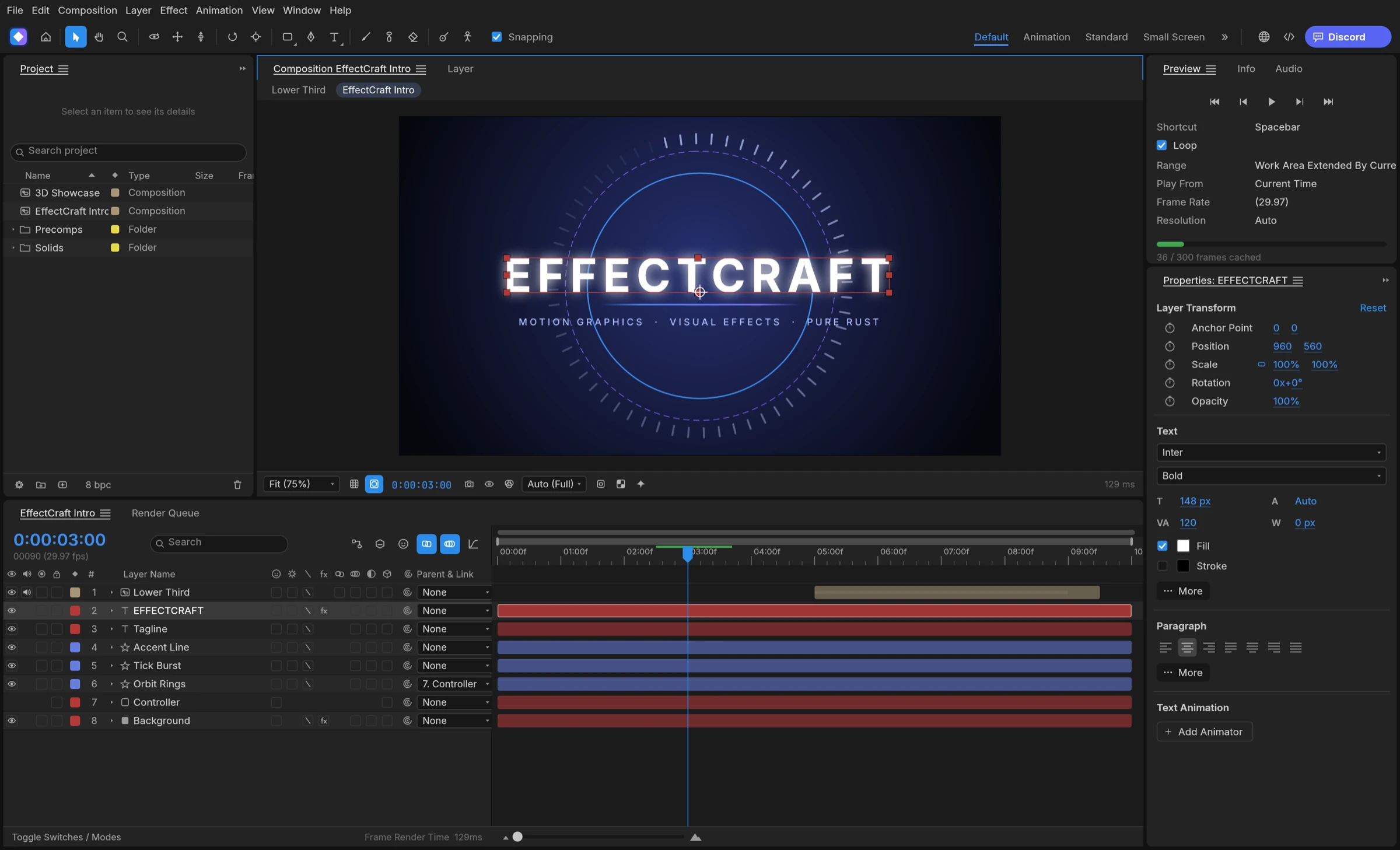

Yes, Claude and other AI agents can control EffectCraft through MCP: EffectCraft MCP support is built in, and effectcraft-cli mcp runs a Model Context Protocol server over stdio that Claude Code, Claude Desktop, Cursor and other MCP clients can use, either headless or bridged to the running app so you watch each change. The same engine commands are available from a one-shot command line for batch renders.
What the EffectCraft MCP server can do
In EffectCraft, menu actions, timeline edits and property changes are exposed as commands with stable ids and JSON parameters, according to the project README. The EffectCraft MCP server gives an agent tools over those commands, the project and property tree, keyframes and rendered frames.
- Discover commands with
list_commandsanddescribe_command, including a JSON Schema for each. - Build and edit: create compositions, add text and shape layers, set properties and keyframes.
- Group several commands into one undo step with the batch tool.
- Look at the result:
render_framereturns a PNG of any frame, with an option to keep transparency. - Save the project as
.ecproj, readable JSON you can review in Git.
Headless or bridged
- Headless (
effectcraft-cli mcp): a session with no window that starts instantly and exposes the engine commands. - Bridged (
effectcraft-cli mcp --bridge 9877): drives a running app started witheffectcraft --control 9877, adds screenshots and UI tools, and shows every change live.
Headless suits scripted pipelines and servers; bridged suits designers who want to watch and correct an agent. Either way, EffectCraft MCP turns the app into something an agent can operate directly, without a scripting workaround.
Set up EffectCraft MCP in Claude Code
Release packages ship the command-line tool alongside the desktop app, so you do not need to build anything, according to the project’s agent guide.
- Windows (MSI):
effectcraft-cli.exesits in the install folder,%LOCALAPPDATA%\Programs\ArtCraft\EffectCraftby default, and is not on PATH. - Linux (deb or rpm):
/usr/bin/effectcraft-cli. - macOS: download the separate
effectcraft-clizip from the same release; the.appholds only the desktop app.
Register the server
- Install EffectCraft from its GitHub releases and note where
effectcraft-clilives. - On Linux or macOS with the CLI on PATH, run:
claude mcp add effectcraft -- effectcraft-cli mcp - On Windows PowerShell, run:
claude mcp add effectcraft -- "$env:LOCALAPPDATA\Programs\ArtCraft\EffectCraft\effectcraft-cli.exe" mcp - For Claude Desktop, Cursor and similar clients, add the same command and args to the client’s MCP settings.
- Ask the agent to list commands, create a title card and render a frame so you can check it.
Developers working from source can use the .mcp.json file shipped in the repository instead.
Batch render EffectCraft projects from the command line
The command-line tool covers jobs where you do not need a conversation at all. The render queue runs from the command line, and one-shot calls return JSON, according to the README.
- Render a composition:
effectcraft-cli render --comp Main --out main.mp4 - Change a property and save:
effectcraft-cli set Main '#1' transform/position '[100,360]' --time 0 main.ecproj --save - Run any command:
effectcraft-cli exec file.exportLottie '{"comp":"Main","path":"main.json"}' main.ecproj - Render an exported template with data:
effectcraft-cli render --template lt.ectemplate --values values.json --out 'title_[#####].png'
A data-driven batch in three steps
- Build a lower third and export it as an
.ectemplatewith named controls such as Title. - Write one
values.jsonfile per name or per row of your spreadsheet. - Loop over the files in a shell script and call
effectcraft-cli renderfor each.
This suits social teams producing many name titles, developers generating video from data, and anyone running renders on a server. Combine it with EffectCraft MCP when an agent should prepare the template and a script should do the volume.
Best ways to automate motion graphics with AI agents
EffectCraft is the best choice in 2026 for automating motion graphics with an AI agent, because MCP and the command line are built into the app itself.
1. EffectCraft: best for agent-driven motion graphics with a built-in MCP server
EffectCraft is the strongest option for agent workflows: the MCP server, a JSON control channel and the command-line tool all reach the same command registry the menus use, headless or live in the window. It ships the CLI in its Windows and Linux packages and as a separate macOS download, and it renders templates from JSON values for data-driven batches. Compared with After Effects, where MCP access comes from community projects such as mcp-aftereffects, EffectCraft’s MCP server is part of the project itself.
2. After Effects with a community MCP server
Community projects on GitHub, such as kumoproductions/mcp-aftereffects, connect Claude Code or Claude Desktop to a running After Effects on Windows or macOS. They need After Effects installed.
3. Premation
Premation’s homepage says you can connect Claude, ChatGPT, Cursor or Antigravity to its assistants. It is free and open source under AGPL-3.0.
4. Natron
Natron runs without a GUI for batch rendering with scripts or on a render farm. It is a free node-based compositor.