 EffectCraft
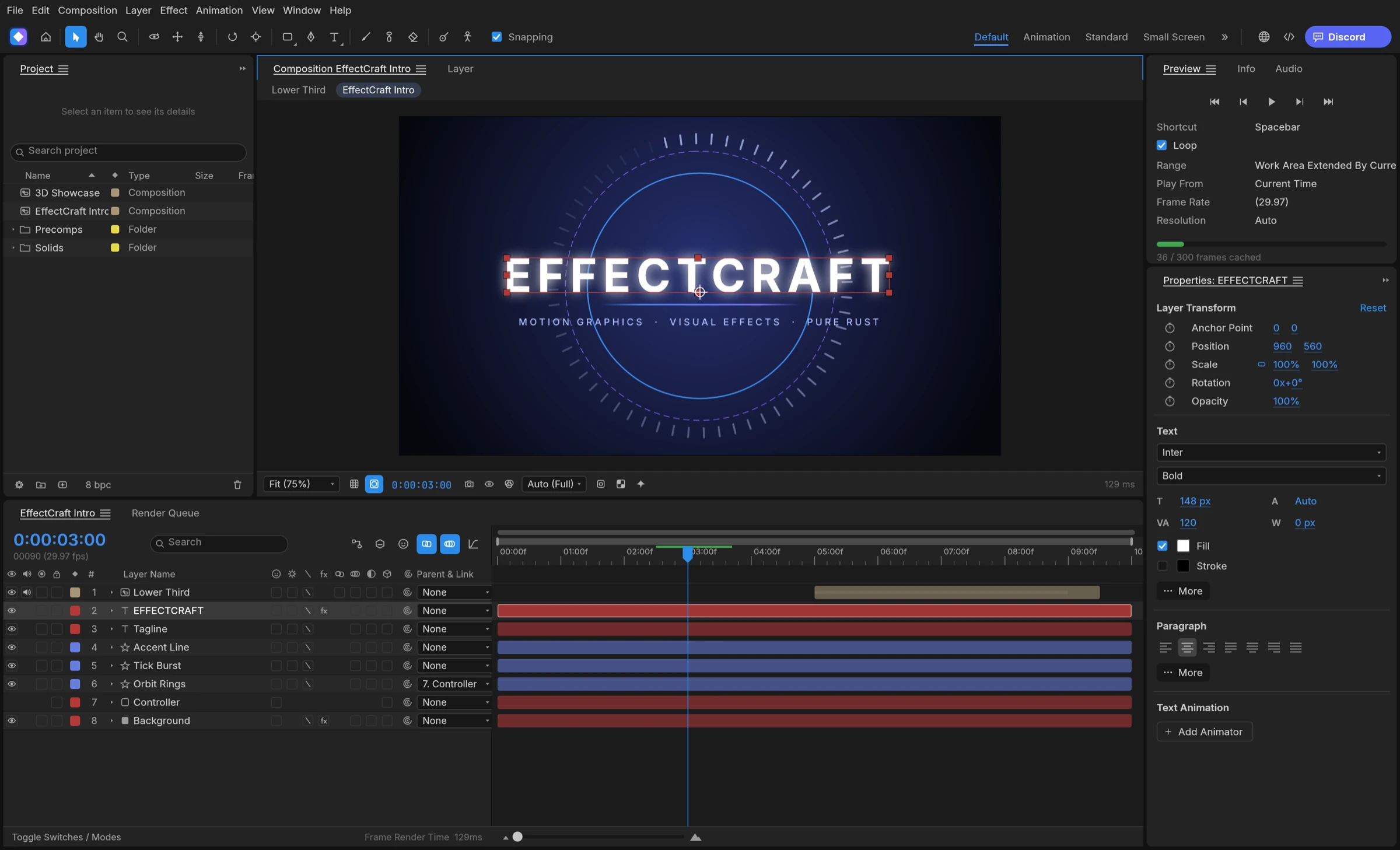

Adobe publishes After Effects system requirements for Windows and macOS only, so there is no native Linux version. The most direct After Effects alternative for Linux, if you work with layers and keyframes, is EffectCraft: it ships native AppImage, Flatpak, deb, rpm and tarball packages. If you prefer node graphs, Natron and the Fusion page in DaVinci Resolve also run on Linux.
No After Effects on Linux: what Wine changes and what it does not
Adobe’s After Effects system requirements page lists a Windows table and a macOS table, and notes that an internet connection and an Adobe ID are required to activate and use the product. Linux is not on it, so any Linux setup sits outside Adobe’s supported configurations. Running the Windows build through Wine or Proton is a do-it-yourself route; Premation’s Linux page, for example, states that Adobe does not support it. That is why most people searching for an After Effects alternative for Linux end up choosing a native tool.
Decide between keeping After Effects and going native
- List the After Effects projects, templates and plug-ins you must keep opening.
- If that list is long, keep a supported Windows or macOS machine for those files.
- For new work, choose a native Linux tool by workflow: layer timeline or node graph.
This split works for freelancers who still receive .aep files from clients and for studios moving new productions to Linux workstations.
In short: Wine is an experiment, while a native After Effects alternative for Linux is a workflow you can build on.
How to install EffectCraft on Linux
EffectCraft publishes Linux builds for x86_64 and aarch64 (ARM64) in several formats, all listed in the project README and on each GitHub release:
- AppImage: runs on any distribution and can update itself with AppImageUpdate using the published .zsync files.
- Flatpak: sandboxed; install the downloaded file with
flatpak install --user. - deb for Debian and Ubuntu, and rpm for Fedora, RHEL and openSUSE.
- Tarball: plain binaries to unpack anywhere; a RISC-V tarball is also published.
- Arch Linux packages (.pkg.tar.zst) appear in the latest release assets, and a community Gentoo overlay packages the release.
Install in five steps
- Open the download guide’s Linux section and pick the format your distribution uses.
- Download the file and the project’s SHA256SUMS.txt from the same release.
- Check the checksum, then install the package or mark the AppImage executable.
- Start EffectCraft and create a new composition.
- Import your media with the import command, which accepts several files at once.
This route suits Ubuntu, Fedora, Arch and openSUSE desktops as well as ARM64 machines.
Set up a Linux motion graphics workflow
Once EffectCraft is installed, a few Linux-specific habits make daily work smoother. On a native Wayland session, drag-and-drop does not reach the window, so use the import command instead, or launch the app through XWayland; the download guide explains both. On Debian and Ubuntu (deb) or Fedora (rpm) installs, the command-line tool lands at /usr/bin/effectcraft-cli, so the same project can be rendered from a terminal, a script or a headless server.
A simple render routine
- Save the project as .ecproj, a readable JSON file you can keep in Git.
- Render a composition from the terminal with
effectcraft-cli render. - Hand the same commands to an AI agent through the MCP server when you want automation.
This is useful for Linux users who already script their desktops, and for teams that render on Linux servers. Read the EffectCraft MCP and command-line guide for the full command set.
Best After Effects alternatives for Linux
EffectCraft is the best After Effects alternative for Linux in 2026 for layer-based motion graphics.
1. EffectCraft: best for After Effects-style layers on any Linux distribution
EffectCraft brings the After Effects way of working, with compositions, layers, keyframes, expressions, 3D cameras and a render queue, to Linux as a native app. It ships five Linux package formats (AppImage, Flatpak, deb, rpm and tarball) for both x86_64 and ARM64, plus an MCP server and command-line renderer for automation. Compared with Premation, which publishes one Linux x64 AppImage, EffectCraft covers more distributions and processors.
2. Premation
Premation is a free, open-source AGPL-3.0 motion editor that ships a Linux x64 AppImage. On Wayland it runs through XWayland, according to its Linux page.
3. Natron
Natron is a free node-based compositor under GPLv2 with Linux builds. It also installs from Flatpak as fr.natron.Natron.
4. Fusion in DaVinci Resolve
DaVinci Resolve, which includes the node-based Fusion page, has a free version for Linux. It suits compositing alongside editing.
5. Friction
Friction is open-source 2D vector motion graphics software with x86_64 Linux builds. It exports animated SVG.
6. Glaxnimate
Glaxnimate is KDE’s open-source vector animation app for GNU/Linux. It exports Lottie, GIF, WebP and SVG.